Photo Studio PRO: photo editor
KVADGroup App StudioPhotography
4.89.11K Reviews
- Version
- 2.10.2.4957
- Installs
- 1.00M
- Age Rating
- Everyone
Screenshots
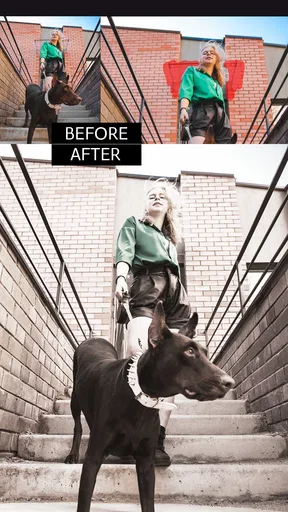
Our Review of Photo Studio PRO: photo editor
 Analysis by Appyee
I tend to trust a photo editor more when I can make a clear choice about which picture to work on and when to stop editing. With Photo Studio PRO, the appeal is its mix of straightforward adjustments and more playful tools: I can make a small correction or turn a picture into a layered composition without changing apps. That range is useful, but it also makes it worth approaching edits deliberately rather than treating every available effect as an improvement.
Keeping control of a photo-led workflow
Because this is an app for working with personal images, I’d start with a copy of an important photo if I planned to make a major creative change. The editor’s layer-based approach gives me room to adjust or remove added effects, which is reassuring when I’m experimenting. Still, for anything irreplaceable, keeping the original separately is a sensible habit: it gives me a clean reference and an easy way to compare the finished result with the starting image.
I also wouldn’t assume that a tool’s presence tells me how it handles images behind the scenes. When privacy matters, I look for the app’s own visible permission prompts and settings, and I grant only what I’m comfortable with. A photo editor needs access to an image I choose to edit, but I prefer to select deliberately rather than open up my whole library by habit. That small pause is especially useful when a picture includes family, children, a home interior, or a document in the background.
Make the edit match the destination
A practical way to get more consistent results is to decide where a picture will be used before reaching for effects. For a family group chat, I might brighten a dim indoor shot and leave the colors natural. For a birthday collage, I’d accept a more decorative look, since frames and text are part of the point. The same heavy treatment that feels fun on a collage can make a portrait look artificial when it is meant to be a straightforward memory.
When I’m combining several images, I’d choose the strongest photo first and treat the others as supporting material. This keeps a collage from becoming a collection of equally loud elements. I’d also check faces and important details after applying a frame or texture: decoration can draw the eye away from the subject, and a neat template won’t fix mismatched lighting or blurry source images.
Where a dedicated editor may be better
The app’s broad toolset makes it appealing for someone who wants editing, creative effects, and photo combinations in one place. The trade-off is that people who only want quick, automatic fixes may find a focused camera or gallery editor faster. Likewise, a desktop editor is a better fit when I need a carefully controlled professional workflow, a large screen, or precise work on many detailed layers.
For casual and creative mobile editing, I can see the value in having several approaches ready in one app. But a large choice of effects can also slow down a simple job: if I only need to crop or brighten one photo, opening a simpler tool may involve fewer decisions. I’d choose based on the work I actually do, rather than assuming a longer feature list automatically means a better everyday experience.
Who will get the most from it
I’d recommend considering this editor if you enjoy trying different looks, want to build collages, or like having more control than a basic one-tap filter provides. It’s also a reasonable choice for someone who edits photos for personal projects and wants to explore layers without moving to a computer. If your main priority is speed, minimal menus, or a strict professional production setup, I’d compare it with simpler or more specialized alternatives first.
For example, after a day out, I might select a few pictures, lift the brightness on a shaded shot, and put the best moments together in a collage for relatives. I’d keep the edits light enough that faces still look familiar, then check the text and framing at phone size before sharing. That last review matters: small alignment issues can be easy to miss while zoomed in, and a collage that looks balanced on the editing screen may feel crowded when viewed in a message thread.
Ever find yourself scrolling through your photo gallery, wishing your pictures looked as stunning as those you see on social media? Well, let me introduce you to Photo Studio PRO, a powerful photo editor that promises to turn your ordinary photos into extraordinary works of art. I’ve had the chance to dive deep into this app, and I’m here to share my experience with you.
First Impressions and Usability
From the get-go, Photo Studio PRO welcomes you with a clean and intuitive interface. It’s not one of those apps that overwhelm you with tons of buttons and options. Instead, everything is neatly organized, making navigation a breeze. Whether you’re a newbie or a seasoned photo editor, you’ll find the setup pretty straightforward.
Upon opening the app, you’re greeted with a range of options to start editing. You can either snap a new photo or upload one from your gallery. Once you’ve got your image ready, the real magic begins.
Editing Tools and Features
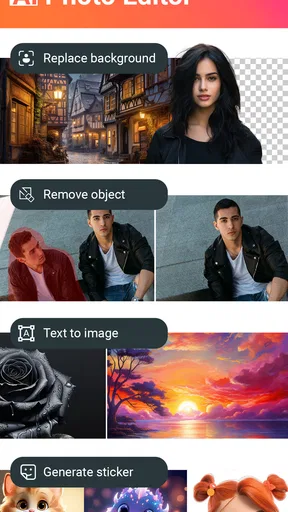
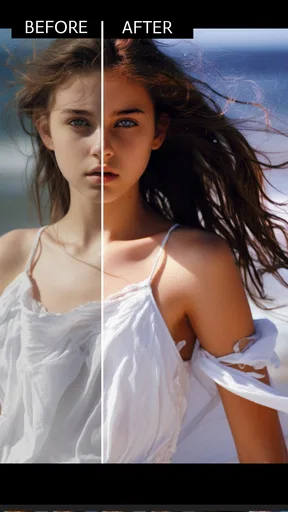
This is where Photo Studio PRO truly shines. The app is packed with a plethora of editing tools that cater to all your creative needs. From basic adjustments like brightness, contrast, and saturation to more advanced features like curves and color balance, the app has it all.
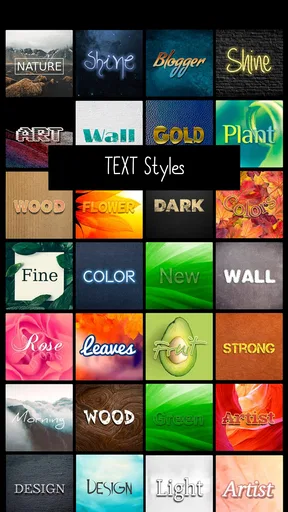
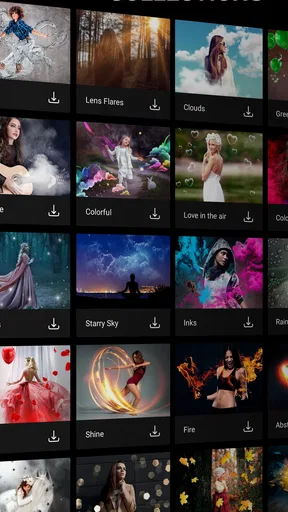
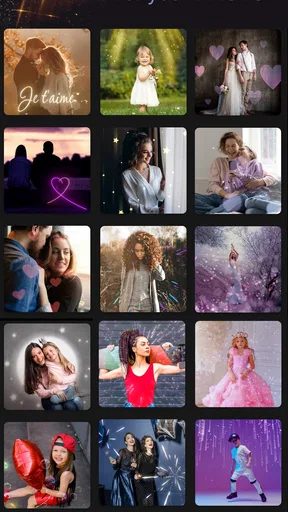
What I found particularly impressive are the creative effects. You can add filters that completely transform the feel of your photos. If you’re like me and love experimenting, you’ll appreciate the wide variety of textures and frames available. Plus, the app includes a collection of stickers and text options, letting you add a personal touch to your images.
Layer-Based Editing
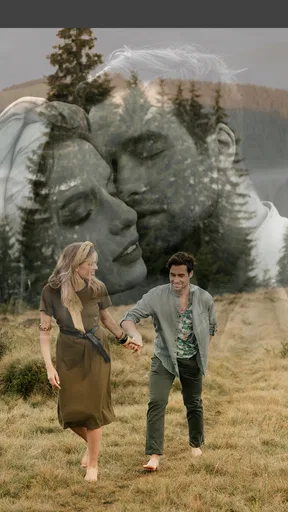
One of the standout features of Photo Studio PRO is its layer-based editing system. This allows you to work on different aspects of your image separately, giving you greater control and flexibility. It’s a feature that’s often found in more professional editing software, so having it in a mobile app is a real treat.
Layers let you apply multiple effects without permanently altering your original image. You can tweak each layer to perfection or remove them altogether if you’re not happy with the results.
Collage and Batch Processing
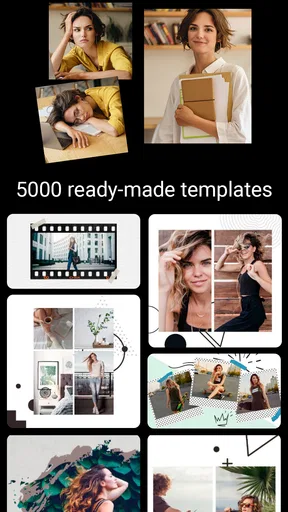
The fun doesn’t stop at single photo edits. The app also offers a collage feature, perfect for creating stunning photo compilations. There are numerous templates to choose from, and customizing them is a breeze.
If you’re working on a series of photos, the batch processing feature will save you loads of time. It allows you to apply the same edits to multiple photos simultaneously, ensuring consistency across your images.
Performance and Compatibility
In terms of performance, Photo Studio PRO runs smoothly on both Android and iOS devices. I didn’t experience any crashes or significant slowdowns, which is always a plus in my book. The app is regularly updated, ensuring it keeps up with the latest operating systems and devices.
It’s worth noting that while the app is quite powerful, it doesn’t hog your device’s resources. This means you can edit high-resolution images without worrying about your phone slowing down.
Pricing and Final Thoughts
Now, let’s talk about the pricing. Photo Studio PRO is a paid app, but considering the range of features it offers, it’s well worth the investment. There are no hidden costs or in-app purchases, so you get all the features right off the bat.
In conclusion, if you’re serious about mobile photo editing, Photo Studio PRO is definitely worth checking out. With its user-friendly interface, extensive editing tools, and robust performance, it’s a fantastic tool for anyone looking to elevate their photography game. Whether you’re editing for fun or for professional purposes, this app has got your back.
How it fits among photography apps
Photography editors tend to fall into two useful camps: quick correction tools and more hands-on creative suites. I see this app closer to the second group. Brightness and color adjustments cover everyday fixes, while its collage, layers, and decorative options make it practical when the goal is to build something rather than simply rescue a shot. That combination is the main reason I’d choose it over a bare-bones editor.
The distinction matters if you’re deciding whether to pay for it. The listed price is $49.99, so I’d think about how often I actually make collages or experiment with effects, not just how many tools sound appealing. If I edit only a few snapshots a year, a free basic editor may be enough. If I regularly make social posts, themed images, or family compilations, having several creative steps in one place may justify the cost for me.
Useful habits for cleaner results
For a portrait, I’d make basic tonal corrections before adding a filter. Raising brightness or balancing color first gives me a better base, and then I can judge whether an effect improves the image or simply makes it louder. I’d keep a close eye on skin tones after applying textures or strong filters; an effect that looks attractive on a landscape can be unflattering on a face.
Batch processing is most useful when the pictures genuinely belong together, such as a sequence from the same room or event. I wouldn’t apply one treatment automatically to a mixed set of outdoor, indoor, and night photos. A shared adjustment can save time, but different lighting often calls for individual corrections. My approach would be to use batch edits for a consistent starting point, then inspect each result and refine the outliers.
Layers are also handy as a way to stay decisive. Rather than stacking effects until an image feels finished, I’d add one change at a time and compare it against the unedited look. If the subject becomes harder to recognize, I’d remove or soften the decorative direction and keep the correction that actually helps. That simple check makes experimentation less likely to turn a favorite photo into an overworked one.
What to check before committing
Photo Studio PRO is developed by KVADGroup App Studio, and it has an average rating of 4.8 from around 92,000 ratings, with more than 9,000 written reviews and over a million installs. That level of use suggests it has found an audience, but I’d still judge it against my own editing habits and device needs rather than treating popularity as a guarantee that every workflow will suit me.
It is rated for Everyone, and the current version is 2.10.2.4957; the app first appeared on August 13, 2012. It requires Android 6.0 or later. I’d check the requirements for the specific phone I plan to use, especially if it is an older device, and make sure I’m comfortable with the one-time purchase before building a routine around it. The app is a photography tool, not a substitute for keeping a separate copy of valuable originals.
On trust, I prefer concrete choices to broad assumptions. I’d pay attention to the permissions presented when I open the app, choose only the photos I intend to edit where that option is available, and review the device’s app controls if I later want to change access. The practical principle is simple: an image-editing workflow should begin with the image I select, not with unnecessary access granted automatically. I would also avoid bringing sensitive documents into a creative editor unless I had a clear reason to alter them.
A considered recommendation
Before buying, I’d ask myself whether I want a creative toolkit or just a fast fix. This app makes the stronger case for people who enjoy shaping images, combining photos, and trying layers, rather than someone who wants a camera roll button that instantly improves every shot. The latter may be happier with the built-in editor on their phone; the former gets more room to make a picture feel personal.
My cautious recommendation is to choose it when its particular mix of adjustment and composition tools matches a real habit you already have. It can be a satisfying place to work through a favorite image, but the best results still come from restraint, sensible photo access, and a clear idea of where the finished picture will go. If that sounds like your style, Photo Studio PRO is worth considering; if not, a simpler editor may be the more comfortable choice.
Verdict
Strengths of Photo Studio PRO: photo editor
- Extensive editing tools for creative freedom.
- User-friendly interface for easy navigation.
- High-quality filters for professional results.
- Supports a wide range of image formats.
- Regular updates with new features.
Limitations of Photo Studio PRO: photo editor
- Lacks a built-in tutorial for beginners.
- Some features require a steep learning curve.
- Occasional lag on older devices.
- No free trial available for testing.
- Limited cloud storage integration.
Similar Picks in This Category
View All
Google Photos
Google LLC4.4

Gallery
Google LLC4.2

Picsart AI Photo Editor, Video
PicsArt, Inc.3.9

B612 AI Photo&Video Editor
SNOW Corporation4.1

BeautyPlus-Selfie Photo Editor
PIXOCIAL TECHNOLOGY (SINGAPORE) PTE. LTD.4.5

Remini - AI Photo Enhancer
Bending Spoons4.1
Frequently Asked Questions
What features does Photo Studio PRO offer for editing photos?
Photo Studio PRO provides a robust suite of editing tools, including filters, color enhancement, text overlay, and collage creation. It also offers advanced features such as blending modes, mask correction, and special effects. These tools are designed to give users full creative control over their images, enhancing both amateur and professional photography.
Is Photo Studio PRO suitable for beginners in photo editing?
Yes, Photo Studio PRO is user-friendly, making it accessible for beginners. The interface is intuitive, with easy-to-navigate menus and a variety of preset filters and effects that simplify the editing process. However, it also includes advanced tools for more experienced users, providing a gradual learning curve.
Does Photo Studio PRO support high-resolution image editing?
Photo Studio PRO supports high-resolution image editing, allowing users to maintain the quality of their photos while applying various enhancements. This is particularly beneficial for photographers who need to work with large images and want to ensure that details are preserved throughout the editing process.
Can I share edited photos directly from Photo Studio PRO?
Yes, Photo Studio PRO includes built-in sharing options that allow users to easily share their edited photos on social media platforms or via email. This feature is convenient for those who want to quickly distribute their creative work without having to leave the app.
Is there a one-time purchase fee or subscription for Photo Studio PRO?
Photo Studio PRO is available as a one-time purchase, which grants access to all features without the need for a subscription. This is a cost-effective option for users who prefer not to have recurring payments, offering full access without any additional costs for premium features.
